

AnyTTY
Any machine. Any task.Any client. Any time.That's AnyTTY.
Terminals and tasks keep running on their original machines. Switch computers or move to web or mobile, and continue the same terminal session.
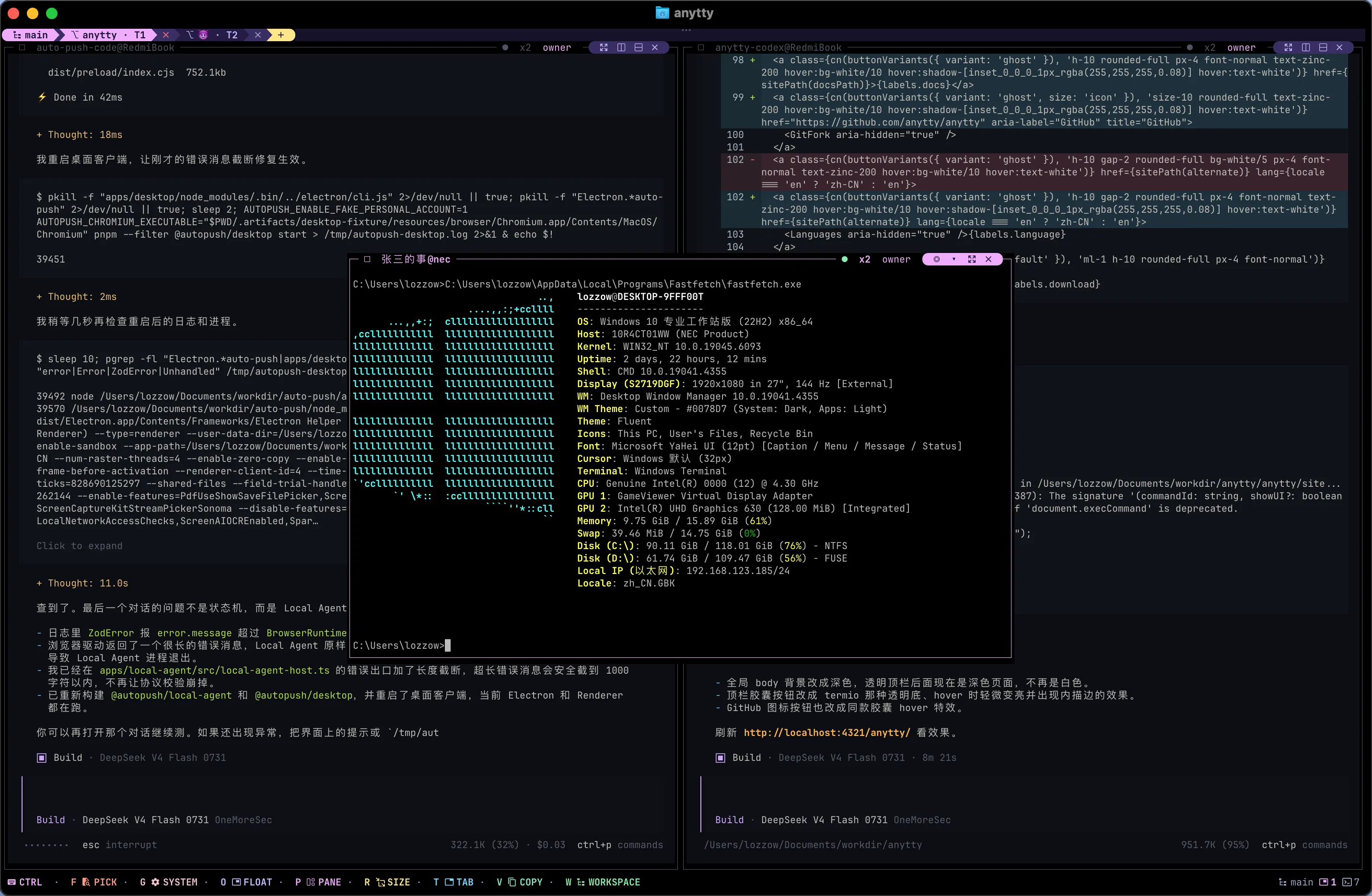

Desktop · TUI + CLI
v0.0.1-beta.6curl -fsSL https://raw.githubusercontent.com/anytty/anytty/main/install.sh | shMobile app
The TTY comes first. A panel is just where you look at it.
With tmux and Zellij, you usually find a terminal through its session, window, and pane. AnyTTY keeps the TTY separate from that layout. Put it in a split, move to a float, or show another TTY in the same panel — the job inside does not move.
Close the view, keep the job
Quit the TUI or disconnect a client. The TTY and the process inside it keep running on the daemon.
Change the TTY, not the layout
Keep your splits and floating panels where they are. Any panel can show another TTY whenever you need it.
showing
showing
Three panels. Three operating systems. One TUI.
Open a Windows shell, a macOS coding agent, and a Linux build in the same workspace. Each panel can belong to a different endpoint, and you can operate all three without leaving the TUI.
Keep all three in front of you
A local shell, a remote agent, and a build log can stay open side by side.
Let agents use the connection you already made
They can work in an authorized TTY instead of setting up SSH, tunnels, and routes again.
Each machine keeps its own permissions
AnyTTY gets you to the TTY. The daemon on that machine still decides what the TTY and file browser can access.
Windows endpoint
Local
macOS endpoint
Direct / Cloud
Linux endpoint
SSH
Give agents a real terminal, and give your tools a way in.
Claude Code, Codex, OpenCode, or any other agent that runs in a terminal can run inside a persistent AnyTTY TTY. Your own scripts or an external agent framework can create terminals, send input, capture output, wait for lifecycle changes, and follow live streams through the CLI and API.
The TTY is the execution surface
The agent keeps running on its endpoint when you close the TUI, switch clients, or move to another machine.
Automation can take the controls
Machine-readable commands and protocol APIs expose terminal input, output, history, lifecycle events, and resize control.
See which tasks still have activity
Every terminal exposes the time of its latest non-empty output, giving an external controller a lightweight activity indicator.
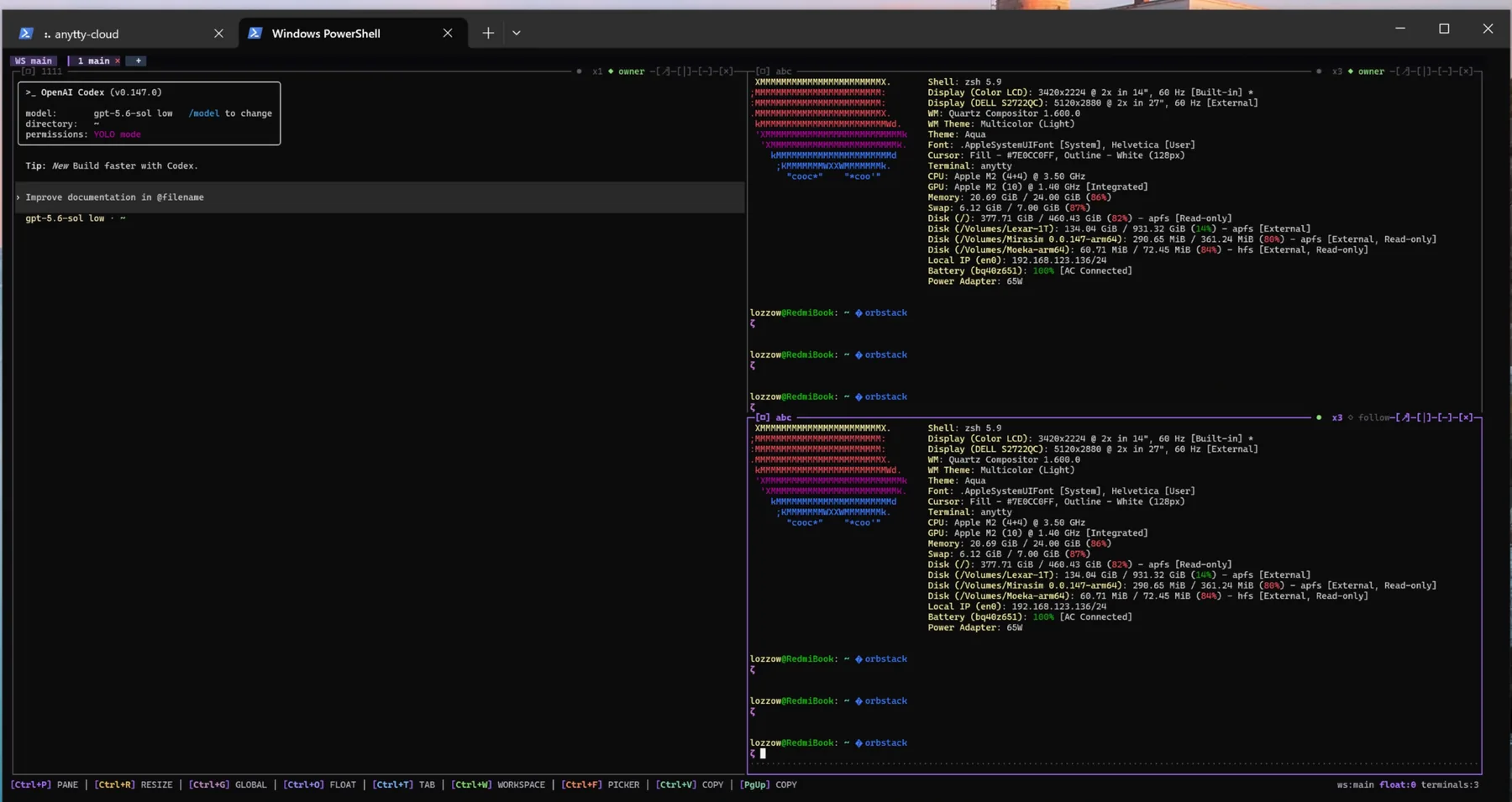
Windows deserves a good terminal multiplexer too.
The CLI, TUI, and daemon run natively on Windows x64 and ARM64. You do not need WSL to get started. The same workflow also runs on macOS and Linux.
Install it and run
Persistent TTYs, the TUI, and the daemon all run directly on Windows.
Switch systems without switching habits
The workspace works the same way on Windows, macOS, and Linux.
- Desktop
- Windows · macOS · Linux
- Mobile clients
- Android · iOS
- Windows builds
- x64 · ARM64
Leave it overnight. Even after a reboot, the history is still there.
The current screen uses bounded memory, while older output is kept in file-backed history. Reboot the machine and you can still scroll back to see what happened before. There is no fixed line limit; you decide how much to keep through disk capacity and retention settings.
Handy after a disconnect, a closed window, a machine restart, or an agent run that finished while you were away.
- Live memory
- Bounded
- History
- Disk-limited
- Reconnect
- Full context
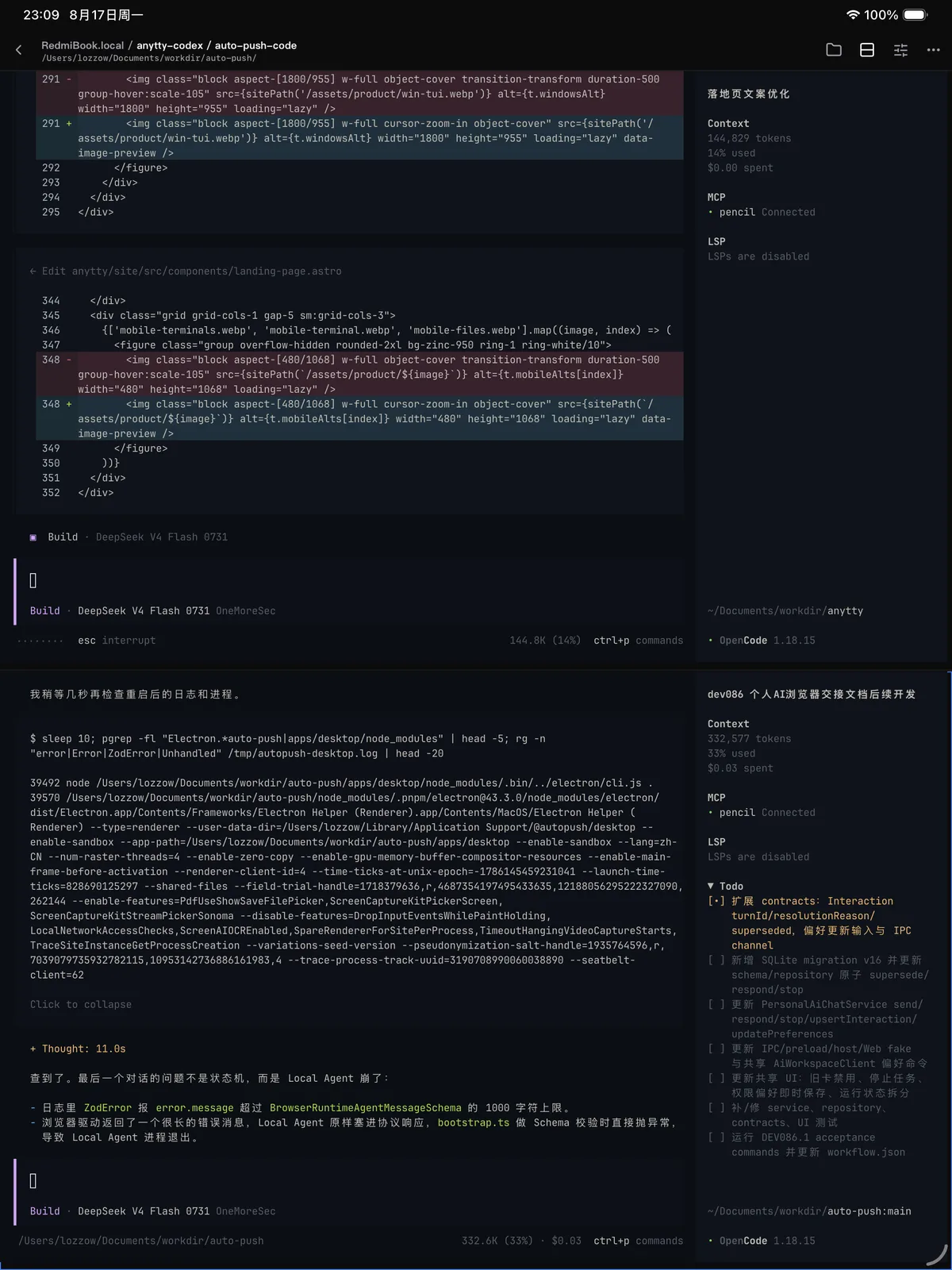
Move from your computer to your phone without leaving the work behind.
Start in the desktop TUI, then open the same TTY from web, phone, or tablet and continue where you left off. The process stays on the endpoint, so switching clients does not interrupt the work.
Pair endpoints from the app
Scan a QR code or paste a short-lived pairing payload, then return to the same device from mobile.
Touch-ready controls
Configure the long-press petal menu for history, search, paste, quick keys, keyboard, and resource actions.
Terminal presentation
Choose the app palette, terminal theme, font, and touch behavior from native Flutter settings.


Local, SSH, Direct, or Cloud. Pick per machine.
Use Local on the same machine. Keep SSH where it already works. Use Direct on networks you control, and Cloud when an endpoint is hard to reach from outside.
Local and SSH
Stay local when you can. If a machine already has SSH, keep using the access you trust.
Direct and Cloud
Connect directly on reachable networks. Behind NAT, Cloud tries P2P first and uses an encrypted Relay when needed.
Terminal and files together
The same authenticated connection handles terminal control and remote files, under the same daemon permissions.
Reach machines tucked away behind NAT.
Cloud finds your paired endpoints and tries a direct P2P path. If the network gets in the way, it falls back to an encrypted Relay.
Device discovery
Find your paired endpoints
P2P first
Connect directly when possible
Encrypted Relay
Fallback when NAT blocks the path
More than panes on one machine.
tmux and Zellij are great at keeping sessions alive on one host. AnyTTY adds TTYs that are separate from the layout, a workspace that spans endpoints, and web, mobile, and file access built in.
| Compared with tmux and Zellij | AnyTTY | tmux | Zellij | Windows Terminal |
|---|---|---|---|---|
| Persistent sessions · detach and reattach | ||||
| Panels decoupled from terminal identity | ||||
| Disk-backed history · no fixed line limit | ||||
| Multi-endpoint terminals in one workspace | ||||
| First-party web, mobile, and tablet clients | ||||
| Remote file management and preview | ||||
| Native Windows support (no WSL) | ||||
| Optional managed NAT traversal |
A few answers before you start.
The daemon owns the work; clients decide where you see and control it. These are the boundaries people ask about most often.
Read all frequently asked questionsDoes closing the TUI stop my task?
No. Closing the TUI, app, or a panel removes a client view. The process keeps running on the daemon until you explicitly kill it.
Is AnyTTY Cloud required?
No. Local, SSH, and Direct routes work independently. Cloud adds managed discovery, P2P negotiation, and Relay fallback for hard-to-reach machines.
Does AnyTTY need an AI task's PID tree?
No. An independent terminal is the observable task unit. Its name, tags, launch command, state, exit code, Live screen, and history are enough to manage it.
Can several clients view one terminal?
Yes. Several views can follow it, while one resize owner determines PTY dimensions so a desktop and phone do not compete over rows and columns.
Can a Relay read terminal or file content?
The Relay forwards protected traffic and has no daemon terminal or file authority. The service still processes metadata needed to establish and operate connections.
Is terminal history a backup?
No. It is bounded operational context. Keep application logs, artifacts, and checkpoints for work that must be preserved independently.
Install it. Start with one TTY.
Grab the desktop build for macOS, Linux, or Windows. Android is on GitHub Releases, and the public iOS beta is on TestFlight.
Mobile apps
curl -fsSL https://raw.githubusercontent.com/anytty/anytty/main/install.sh | shApache-2.0 · source, clients, and release artifacts on GitHub