
Understand AnyTTY
AnyTTY keeps shell processes on a daemon you control and lets authorized CLI, TUI, and mobile clients reconnect to them. Closing a client does not end the process. The daemon remains the authority for terminal lifecycle, history, files, identity, and access grants.
Where it fits
AnyTTY is useful for long-running commands, moving between desktop and mobile, managing several shells in one TUI, and reaching trusted machines through Local, SSH, Direct, or Cloud routes.
It is not a general remote desktop, a multi-user shell host, a business backup system, or an authorization replacement for the operating system. The shared browser build in the source tree is a preview and test surface, not a shipped Web terminal product.
Platforms and clients
| Surface | Current Beta status | Primary role |
|---|---|---|
| macOS, Linux, Windows | x64 and arm64 desktop builds | daemon, CLI, and TUI |
| Android | Beta APK; current release APK is unsigned | terminals, pairing, and files |
| iOS / iPadOS | source build available; public package pending, iOS 15+ | terminals, pairing, files, tablet workflows |
| Cloud console | hosted account surface | enrollment, device registration, plans, usage, and account security |
Core objects
- A daemon owns processes, authoritative terminal history, allowed file operations, its device identity, and client grants.
- A client is the CLI, TUI, or mobile app. It can only use capabilities granted to its own identity.
- A terminal is a daemon-owned process session with a stable ID. Its display name and tags can change without changing that ID.
- An endpoint is a saved record for one daemon identity.
- A route is one way to reach that endpoint: Local, SSH, Direct, or Cloud.
An endpoint may have several routes. Route selection changes network reachability, not the identity or permission boundary.
Desktop workbench
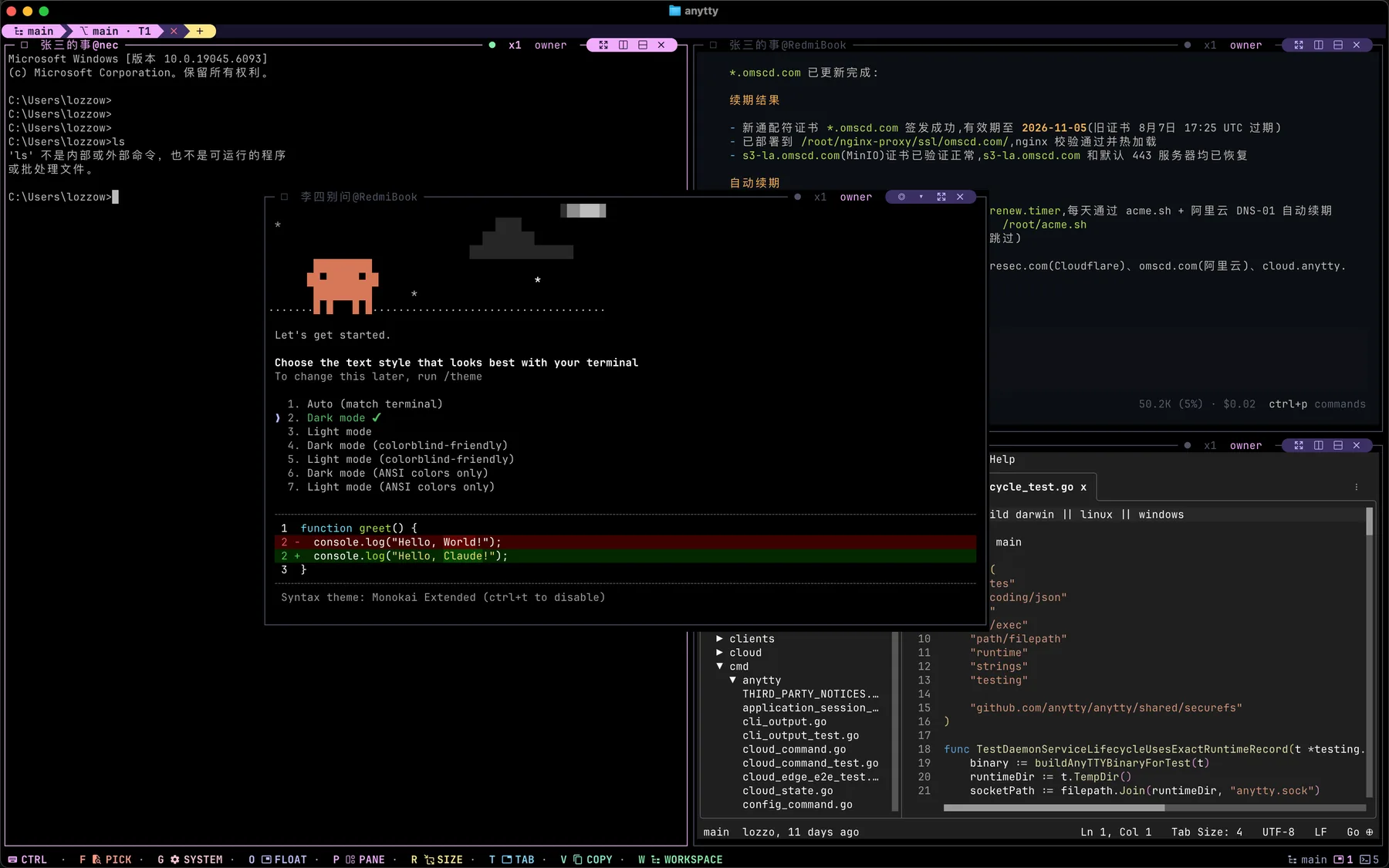
The TUI arranges terminals into workspaces, tabs, panels, and floating panels. These are client-side views over daemon-owned terminals; closing a panel does not implicitly kill its process.
Pairing and grants
A pairing claim is short-lived, one-time material used to issue a client-bound grant. A grant can be limited by terminal scope and expiration. Copying endpoint metadata does not copy access, and signing in to Cloud does not automatically pair the app with a daemon.
The daemon can inspect and revoke grants with anytty access list and anytty access revoke.
Live and history
Live display and history are separate delivery paths. Live follows the current native terminal screen and PTY output. History is stored by the daemon and read through a frozen window, so new output does not shift the content currently being reviewed. Gaps trigger explicit resynchronization rather than silent reconstruction.
History helps restore context, but its retention is bounded by configuration and disk availability. Important jobs still need application logs and checkpoints.
Continue with Quick start, then choose Terminals and TUI or Endpoints and connections.