
Files and preview
File operations execute under the endpoint daemon’s authority. A client needs both a grant with file capability and a path allowed by the daemon’s local policy. Neither a route nor a Cloud plan can expand those permissions.
Browse and inspect
anytty file list ENDPOINT PATH
anytty file stat ENDPOINT PATH
anytty file cat ENDPOINT PATH
Directory listing defaults to 200 entries per page. Use complete endpoint and path values in automation, and treat paths from logs or untrusted terminal output as untrusted input.
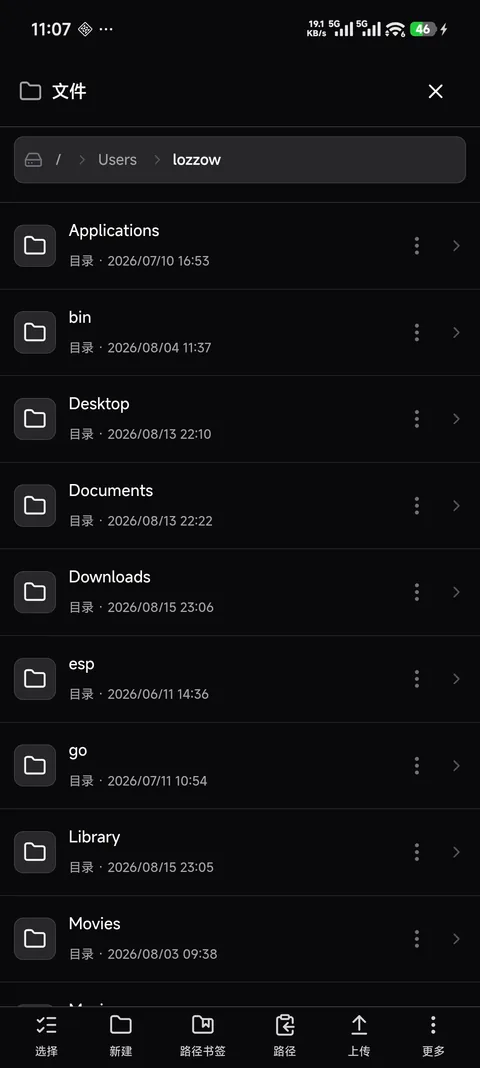
Create, copy, move, and remove
anytty file mkdir ENDPOINT PATH
anytty file copy ENDPOINT SOURCE DESTINATION
anytty file move ENDPOINT SOURCE DESTINATION
anytty file rename ENDPOINT PATH NAME
anytty file remove ENDPOINT PATH
Confirm the endpoint and normalized full path before an overwrite, recursive operation, or removal. File deletion is unrelated to terminal record removal and can be irreversible.
Upload and download
anytty file upload ENDPOINT LOCAL_FILE REMOTE_PATH
anytty file download ENDPOINT REMOTE_PATH LOCAL_FILE
Upload waits for checksum confirmation from the daemon. Download verifies the checksum before the result should be trusted. The default file operation timeout is two minutes; increase it explicitly for a healthy long transfer rather than disabling timeouts globally.
Mobile uses native file selection, resumable download behavior, and SHA-256 verification. Interrupted transfers should be resumed or restarted through the client instead of assuming a partial file is complete.
Preview
Mobile preview support includes text and markup, PDF and office documents, images, audio/video, and supported 3D model formats. Searchable document families include common text, CSV/TSV, PDF, Word, spreadsheet, presentation, OpenDocument, HTML/XML, and OFD types. Exact rendering depends on the platform and file content.
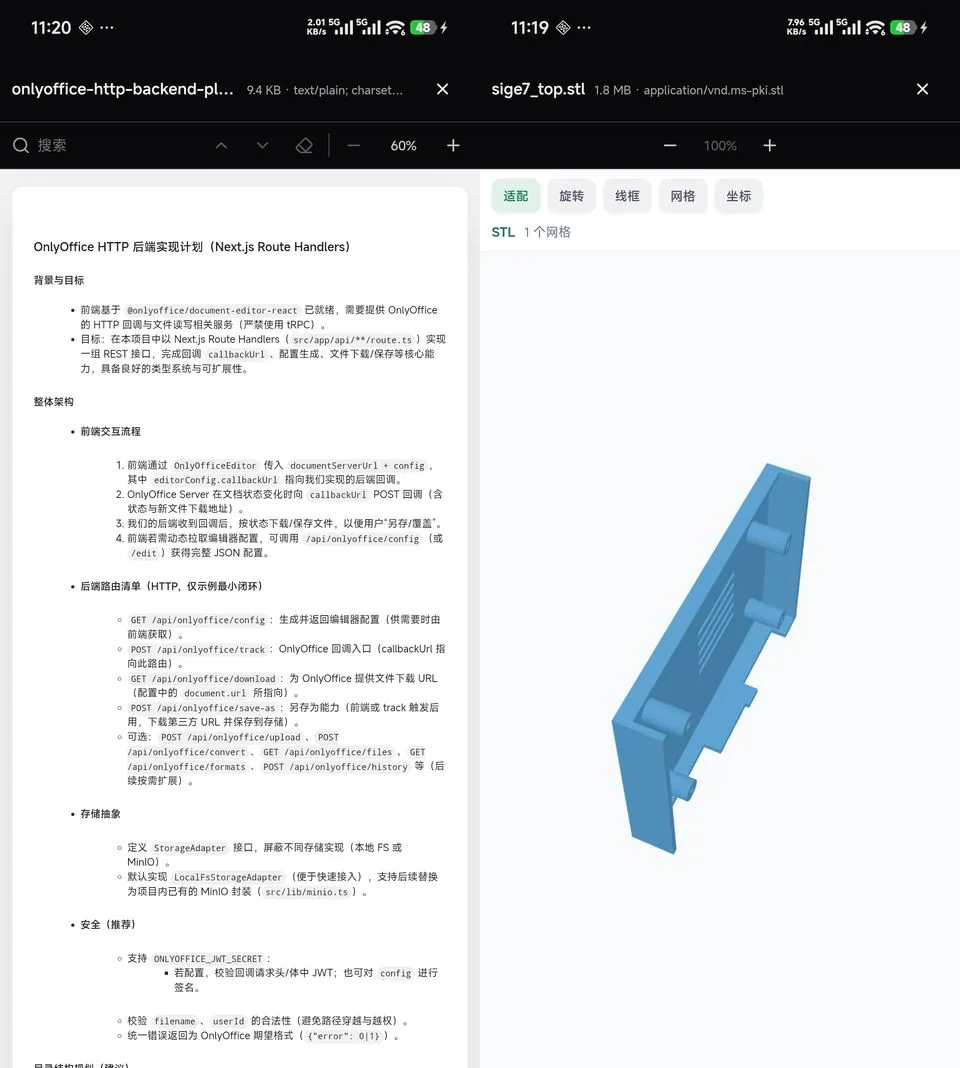
Preview is a convenience, not a sandbox guarantee. Download unknown active content only to an environment where it can be handled safely.
Open from terminal context
When a client offers an Open File action from a terminal working directory, the resolved path still passes through daemon file policy and grant checks. Terminal access does not imply file access.
Failures
- Permission denied: inspect grant capability and daemon path policy.
- Path not found: verify endpoint, operating-system path rules, and current working directory.
- Target exists: review before enabling overwrite.
- Checksum mismatch: treat the downloaded artifact as untrusted and retry.
- Preview unsupported: use
stat, download with verification, then open in a trusted local tool. - Transfer timeout: confirm progress and network health before increasing
file --timeout.
File roots, endpoint registry, logs, and history may disclose sensitive project structure. Redact them before sharing diagnostics.