
Configuration and operations
AnyTTY uses the current operating-system user as its runtime boundary. Normal use does not require a root or system-wide shared daemon.
Resolve actual paths
anytty config pathsThis reports the resolved configuration, daemon socket, log, history, and clipboard-history paths for the current platform. Do not hard-code a Unix path into cross-platform automation.
Inspect and edit configuration
anytty config show
anytty config show --effective
anytty config get daemon.history.max_size_mb
anytty config set daemon.history.max_size_mb 256
anytty config unset daemon.history.max_age_days
anytty config validate
show reads source configuration; --effective includes defaults and environment overrides. set and unset update one supported key atomically. The parser rejects unknown fields and invalid ranges. The current schema version is 1; use the complete English-annotated tui-v3.example.en.yaml or Chinese-annotated tui-v3.example.yaml.
Recommended AnyTTY profile
The documentation and product screenshots use the coralline-candy profile. It starts from palette: builtin, then defines the dark theme, candy header, footer, pane actions, and complete shortcut scenes. The validated file below is the recommended starting point, not a replacement for the defaults compiled into AnyTTY. Without a configuration file, the runtime still uses its source-defined defaults.
tui-v3.en.yaml
The same profile is also available with Chinese annotations.
Run anytty config paths, save the download at the reported Config path, and then run:
anytty config validate
anytty daemon restart
The icons and Powerline separators require a terminal font with Nerd Font glyphs. If the active font does not support them, replace those glyphs with plain characters or enable the visual options incrementally from the repository template. This profile declares shortcut scenes explicitly, so preserve the current file and review custom bindings before replacing it.
The core palette is shown below. The download also includes the complete chrome, footer, picker, and shortcut configuration.
version: 1

tui:
  profile: coralline-candy
  theme:
    palette: builtin
    mode: dark
    primary: "#f0abfc"
    secondary: "#3b2f63"
    foreground: "#f8f4ff"
    background: "#070611"
    muted: "#9ca3c9"
    success: "#86efac"
    warning: "#fde68a"
    danger: "#fb7185"
    info: "#7dd3fc"
Daemon lifecycle
anytty daemon start
anytty daemon status
anytty daemon restart
anytty daemon stop
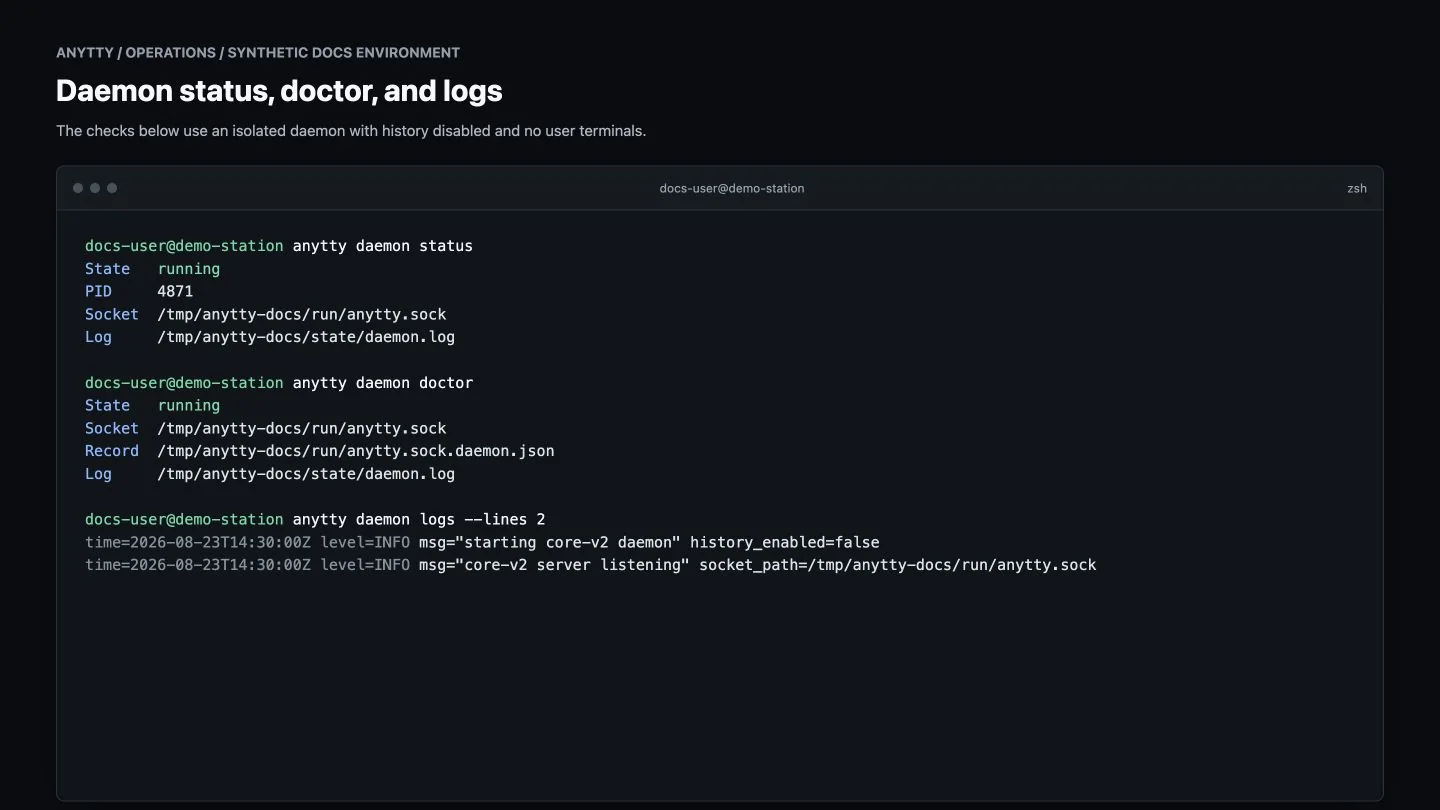
Use daemon run for foreground diagnostics, but do not run it beside a background instance. daemon doctor checks runtime paths, socket state, and ownership. A Direct listener can be supplied with --route HOST:PORT; wildcard hosts enable paired-device LAN discovery and expand the listening boundary.
Logs
anytty daemon logs --lines 300
anytty daemon logs --follow
Review logs before sharing them and remove usernames, hostnames, device IDs, fingerprints, addresses, and production identifiers.
Output buffers
| Setting | Default | Meaning |
|---|---|---|
daemon.output_buffer.capacity_bytes |
32 MiB | shared PTY buffer for one terminal generation |
daemon.output_buffer.resident_budget_bytes |
512 MiB | shared resident budget across the daemon |
daemon.output_buffer.overflow |
block |
apply backpressure and preserve continuity |
drop removes old payload and emits an explicit gap instead of waiting. Test it with the real workload before changing production behavior.
History retention
| Setting | Default |
|---|---|
daemon.history.max_size_mb |
512 per terminal; 0 disables size limit |
daemon.history.max_age_days |
0; no age deletion |
daemon.history.compression |
zstd |
daemon.history.compression_level |
fast |
anytty history prune
anytty history search TERMINAL PATTERN
anytty history delete TERMINAL
history delete is irreversible. History is bounded by policy and disk availability and is not a business backup.
TUI preferences
Configuration covers theme and host palette, chrome, panel presentation, mouse interaction, destructive-operation confirmation, clipboard history, picker behavior, terminal ownership, and shortcuts. Once a scene is explicitly declared under tui.shortcuts, that scene’s catalog replaces its defaults; preserve a rollback copy.
Backup and restore
tui-v3.yamlcontains preferences and daemon resource settings.endpoints.yamlcontains identities, routes, and credential references and is sensitive.- Protected private keys and credentials should not be copied as ordinary files.
- History contains real terminal content and should only be captured consistently with the daemon stopped, then encrypted at rest.
- On a new device, prefer a clean install, fresh pairing, and migration of only non-sensitive preferences.
Long-running operation
Set history retention before disk pressure occurs, monitor lifecycle with daemon status, terminal list, and terminal events, and keep application-level logs or checkpoints for important work. Before upgrades, pause work that cannot be reconstructed and verify endpoints and grants afterward.